.png)
Call Us 24/7/365
+1 (818) 600-0008
The portal and the QMS behind it are proprietary systems owned and maintained by AEEM Inc. We are not reselling a third party dashboard, and we are not selling software to other brokers or forwarders. The platform exists for one reason, which is to give our customers direct access to their own freight.
That ownership changes what you get. When a customer asks for a report we do not have, we build it, instead of filing a ticket with a vendor. When your systems need a specific data format, we map to it, instead of asking you to work around ours. And because the portal and our operating system are the same system, your view updates the moment something changes on the load.
1. Real-Time Shipment Visibility
Live status, milestone updates, and delivery confirmation for every load in one dashboard. Ocean, air, drayage, truckload, LTL, and intermodal shipments appear in the same view, so you are not switching between carrier sites or waiting on email updates.
2. Document Control
Bills of lading, arrival notices, delivery orders, packing lists, commercial invoices, proof of delivery, and customs paperwork are stored against each shipment and available to download at any time. Customs entries are handled by licensed customs brokers and the filed documents are posted back to the shipment record.
3. Quotes and Booking
Request rates, review options, and convert an approved quote into a booking without re-keying details. Quote history stays attached to your account, so repeat lanes move faster the second time.
4. Invoices and Billing
View invoices, match them to shipment records and supporting documents, and download statements. Every charge ties back to the load it belongs to.
The AEEM Portal transforms freight management into a seamless, transparent process. With one login, users gain visibility, compliance assurance, and full digital control over their logistics network.
The AEEM Portal runs on our own proprietary platform, which means what you see is the same live data our team works from. No vendor dashboard, no nightly sync, no waiting on an email for a status update.
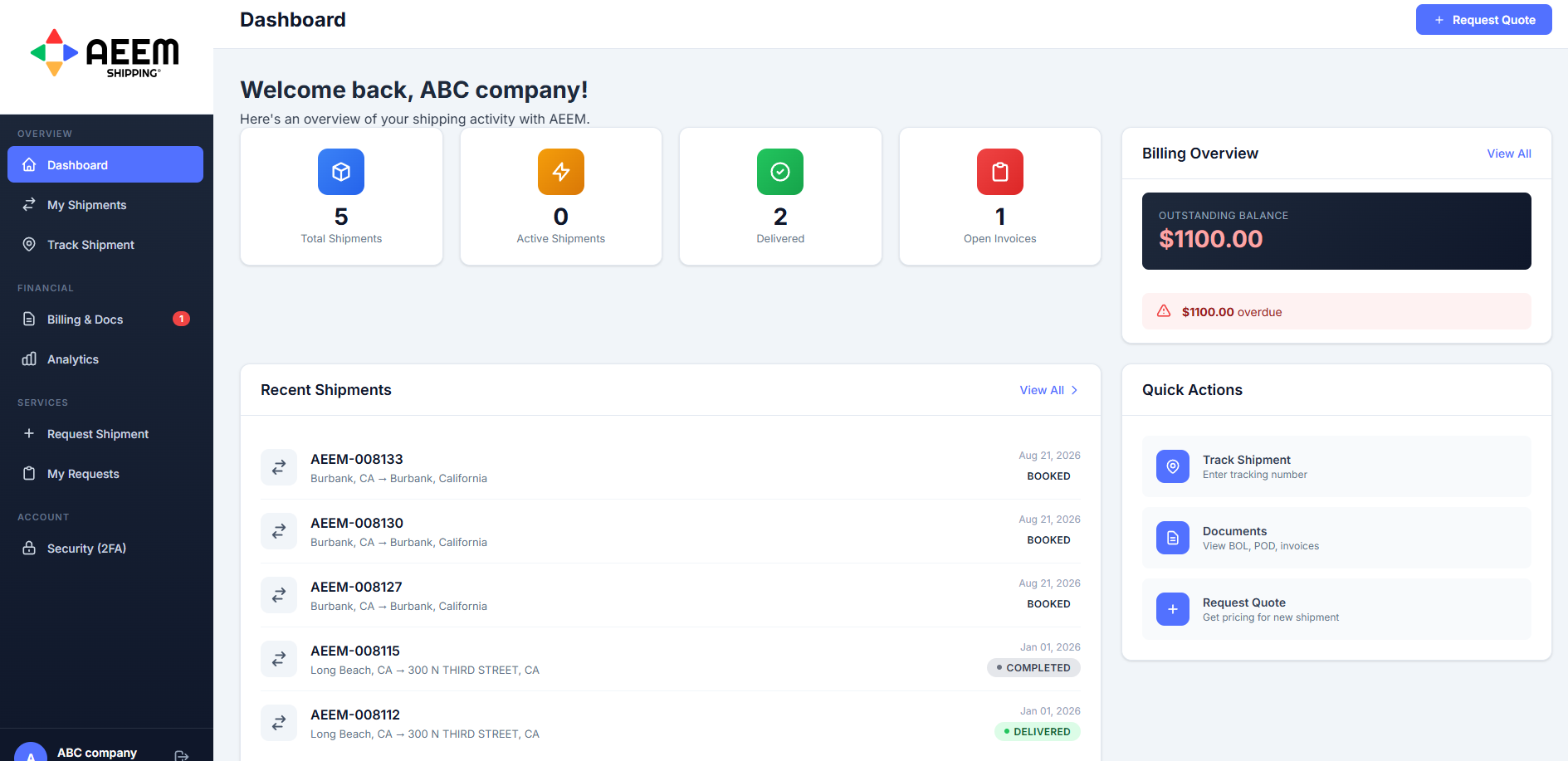
Total shipments, active loads, delivered freight, and open invoices the moment you log in. Your outstanding balance and recent shipment activity sit on the same screen, so you know where everything stands before you click anything.
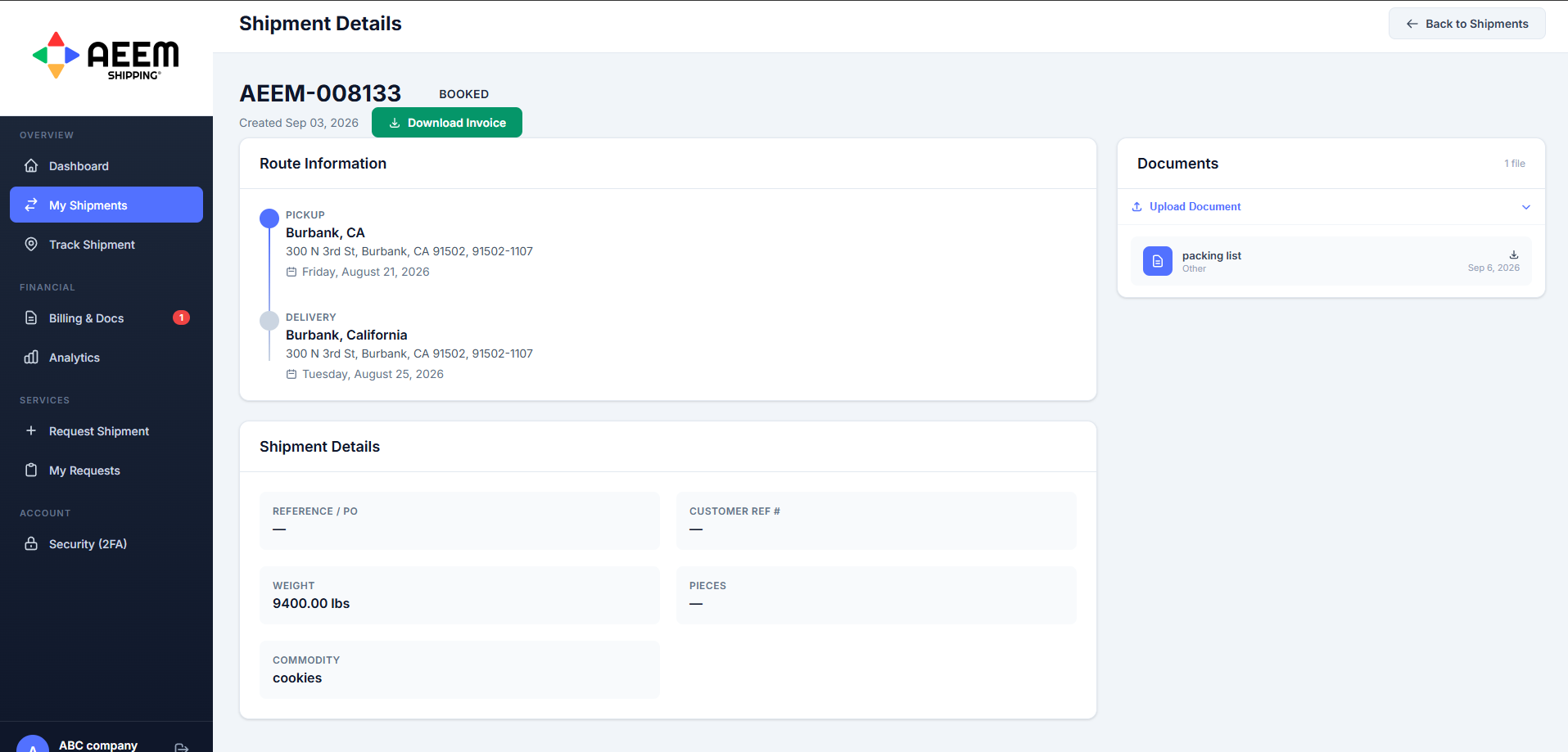
Open any load for pickup and delivery addresses, scheduled dates, reference and purchase order numbers, weight, pieces, and commodity. Documents attach to the shipment itself, so the packing list and the invoice live with the load instead of in an email thread.
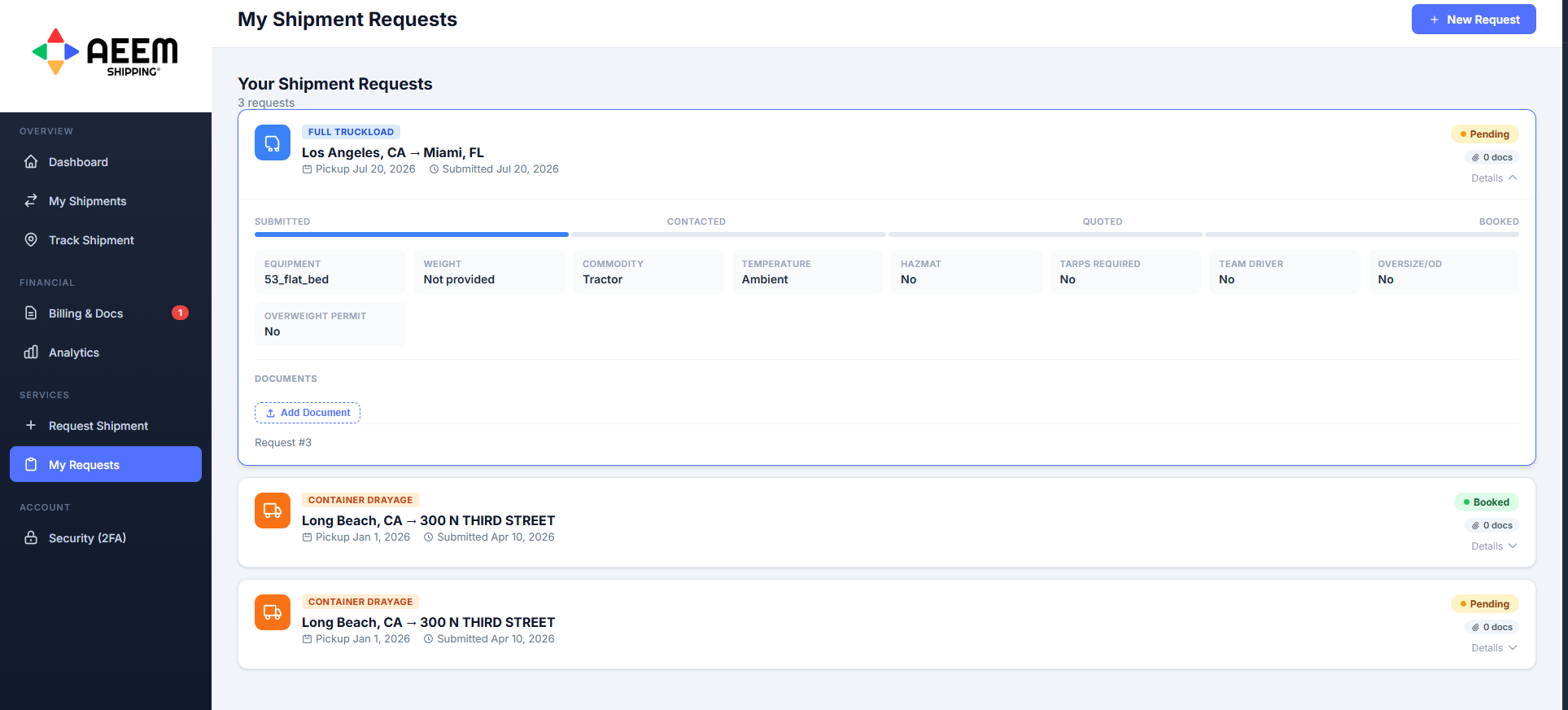
Submit a request with equipment, commodity, temperature, hazmat, tarps, team driver, oversize, and overweight permit requirements captured up front. Then watch it move through four stages on a live progress bar. Most portals only show you a shipment once it exists. Ours shows you where your request is sitting.
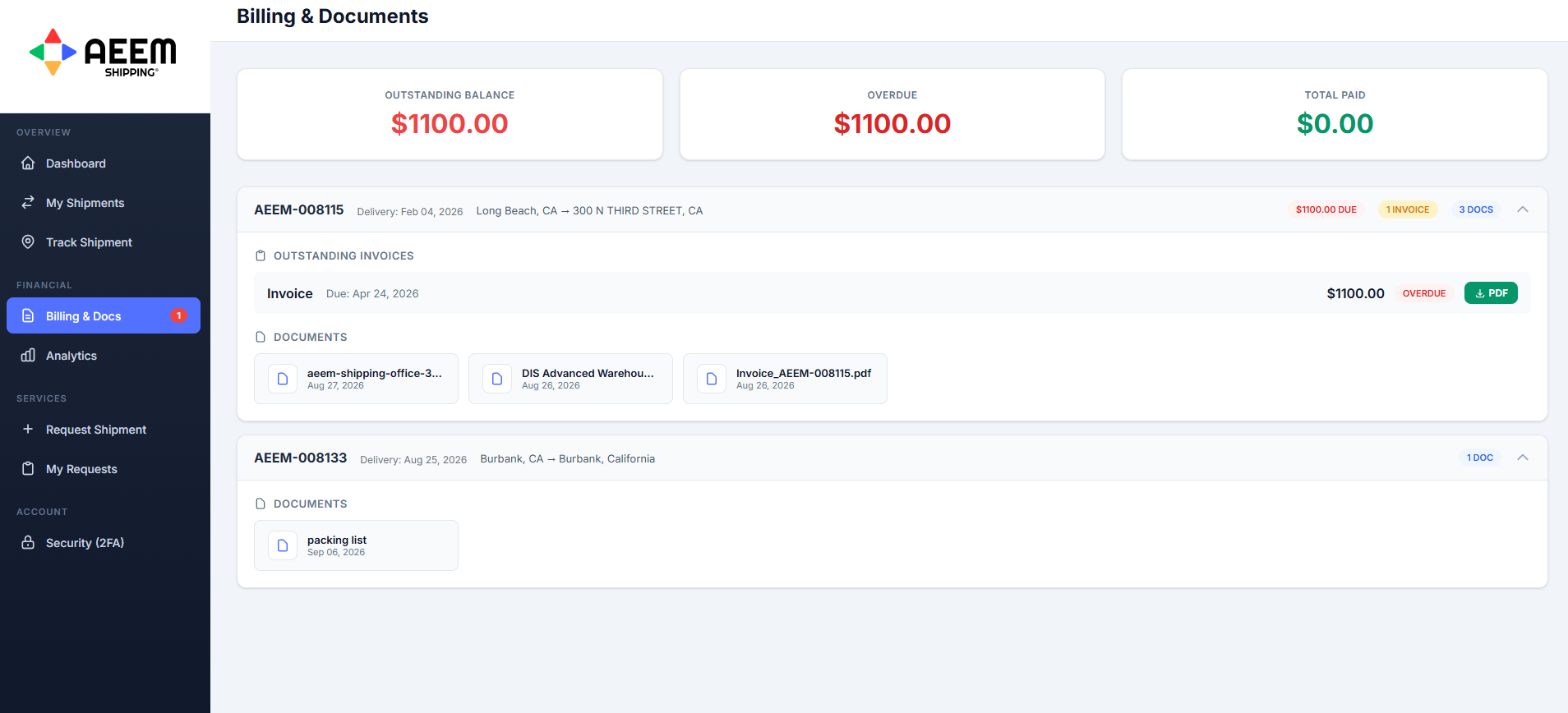
Outstanding balance, overdue amounts, and total paid across your account, with every invoice downloadable as a PDF and every document grouped under the shipment it belongs to. Bills of lading, packing lists, proof of delivery, and customs paperwork stay with the load. Customs entries are handled by licensed customs brokers and the filed documents post back to the shipment record.
Portal access is included for AEEM Shipping customers.
Two-factor authentication on your login. EDI and ERP integration available on request.